
Table of Contents
The GCart DCNT is verified and working. All the hardware checks out, the GreenPAK is behaving, and I'm now staring at the part of hardware projects that nobody warns you about: EMC testing, enclosures, and labels. But let's start with the fun stuff.
What Is GCart DCNT?
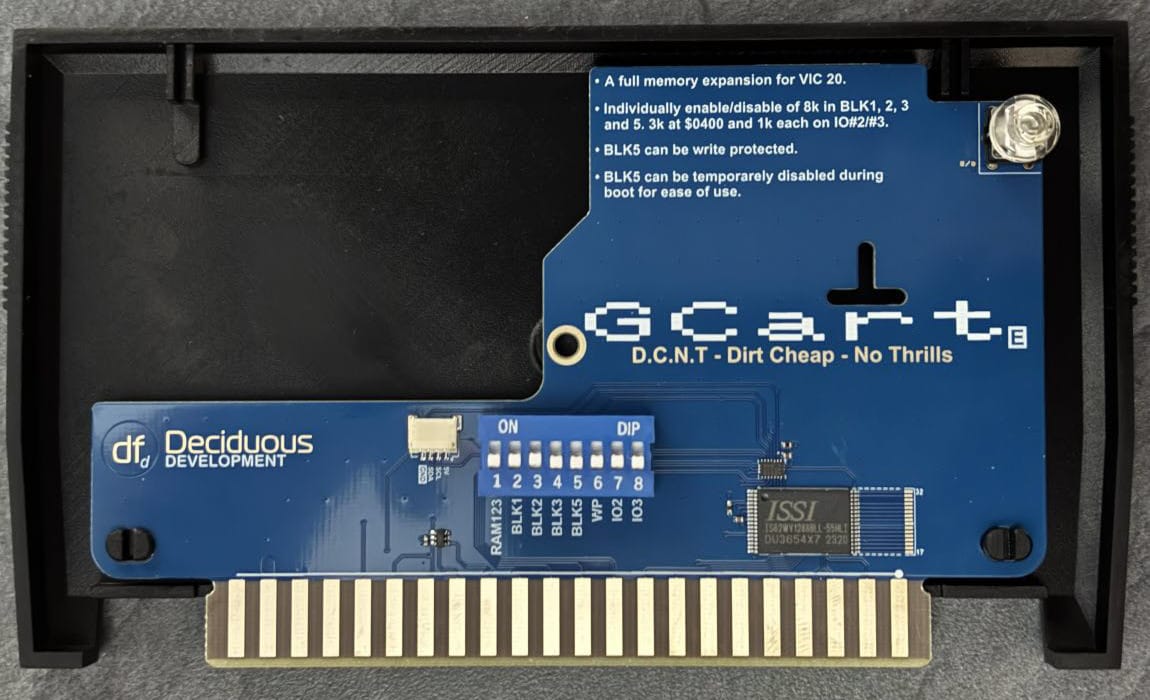
For those just arriving: the GCart family is a series of cartridges for the Commodore VIC-20. DCNT sits at the bottom of the range — Dirt Cheap, No Thrills. It's the least complex board in the family, in terms of features. Full memory expansion for the VIC-20, configured by DIP switches, all on a board and really low cost. No flash, no SD card, no synthesizer. Just SRAM and a GreenPAK doing the logic.
The name is the mission statement.
Two Flavours of Memory
The DCNT supports two SRAM packages. Both are the same capacity — the only difference is physical size. The TSOP-I variant is the larger of the two, while the sTSOP is the compact option with a tighter pin pitch. Same memory, same function, different footprint. I've verified both and they work identically.
Why offer two? Availability, price and flexibility. Having both as options means I can build with whatever the supply chain feels like offering that week.
GreenPAK — Now With a Light Show
The GreenPAK configuration has been a journey of its own, documented in earlier posts. This time around, I've finished and verified all the features — including one I'm quietly pleased with.
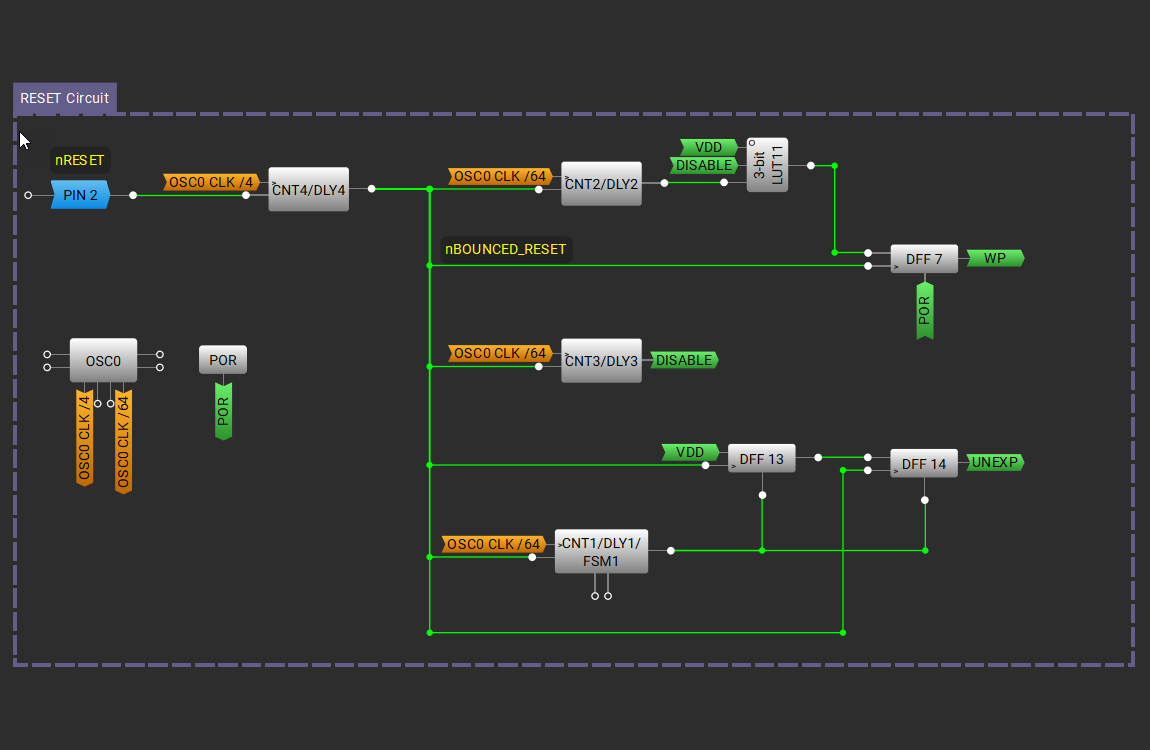
When you do a long press on RESET (0.5–1 second), the cartridge engages temporary write protection on BLK5. Useful when you want to protect whatever you've loaded from being overwritten. And now, when write protection is active, a LED in the reset switch pulses with a slow flash. Nothing dramatic — just a calm, rhythmic blink to let you know the protection is on. It's a tiny detail, but it turns an invisible state into a visible one without needing to read a manual.
An extended press (>1 second) still disables BLK5 entirely, letting you boot the VIC-20 as if the cartridge wasn't there. Great when loading a new image into BLK5.
The Double Tap
This one came from a user question: "Can I reach the DIP switches when the cartridge is plugged in?"
No. No you can't. The DCNT is designed to be small and cheap, and that means the DIP switches end up inside the enclosure where your fingers aren't going to reach them while the cartridge is seated in the expansion port.
The original idea was that you'd configure the switches once and leave them. But there's a legitimate use case for quickly booting into an unexpanded configuration — 3583 bytes of RAM, no expansion blocks mapped, just the bare VIC-20 as Commodore intended. Some software expects or requires this.
I didn't want to complicate the DIP switch layout or add more hardware. So instead: the double tap. Hit RESET twice in quick succession and the DCNT boots into unexpanded mode. No switches to flip, no cartridge to pull. Just tap-tap and you're running a stock VIC-20.
It fits nicely alongside the existing RESET gestures — short press for normal reset, long press for write protection, extended press to disable BLK5, and now double tap for unexpanded mode. All through the same button, all managed by the GreenPAK.
What's Next?
The hardware is done. The GreenPAK configuration is done. Which means I've arrived at the phase where everything that isn't electronics needs to happen.
EMC testing. Has to be done. Nobody's favourite topic, but you can't ship a product without it.
Enclosures. The cartridge shell needs to come from somewhere — either injection-moulded plastics for production volumes, or professional-grade industrial 3D printing for smaller runs. I've been working on the shell design in Onshape, and the geometry is settled. Now it's a question of manufacturing method and cost.
Labels. The cartridge needs to look like a product, not a bare PCB with a sticker slapped on it. Still figuring out the best approach here.
None of this is as exciting as getting an LED to blink on a GreenPAK, but it's what separates a working prototype from something you can actually put in someone's hands. Stay tuned.